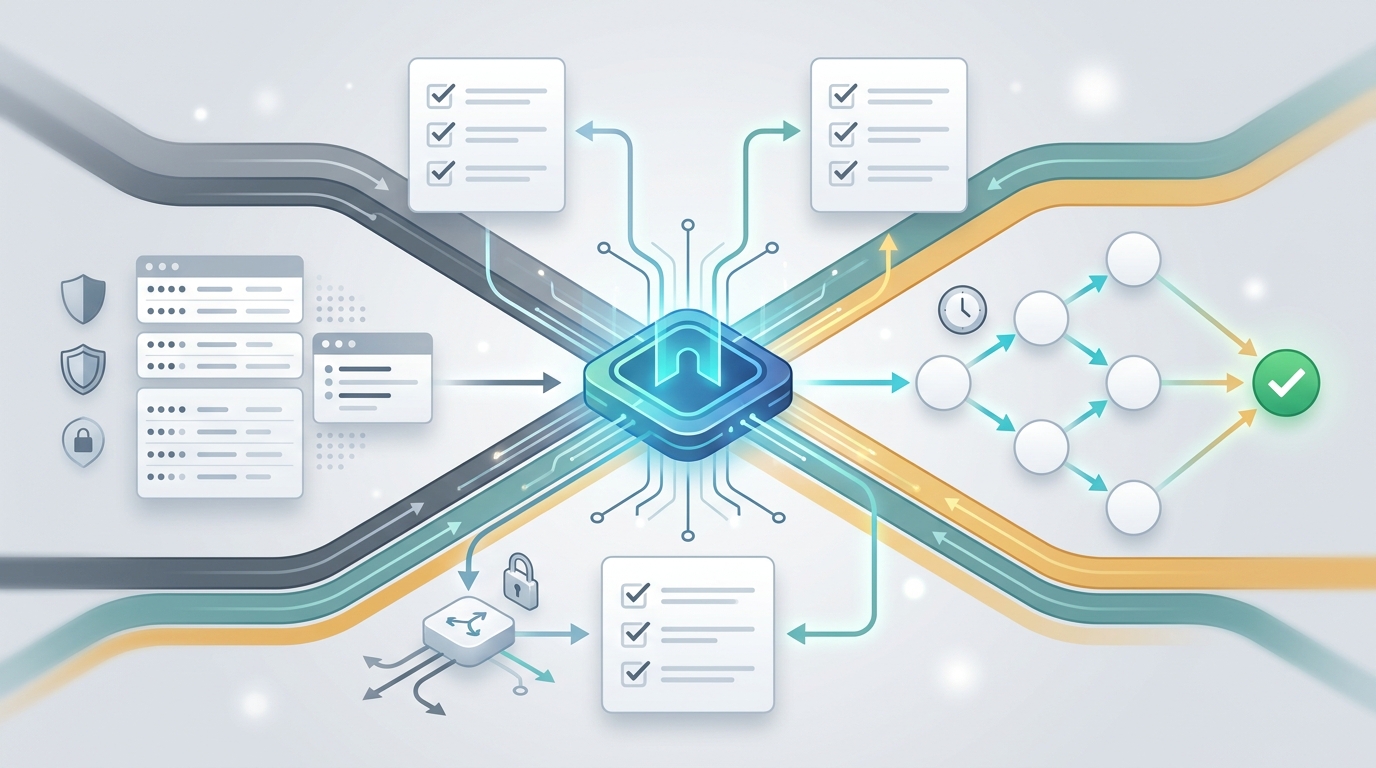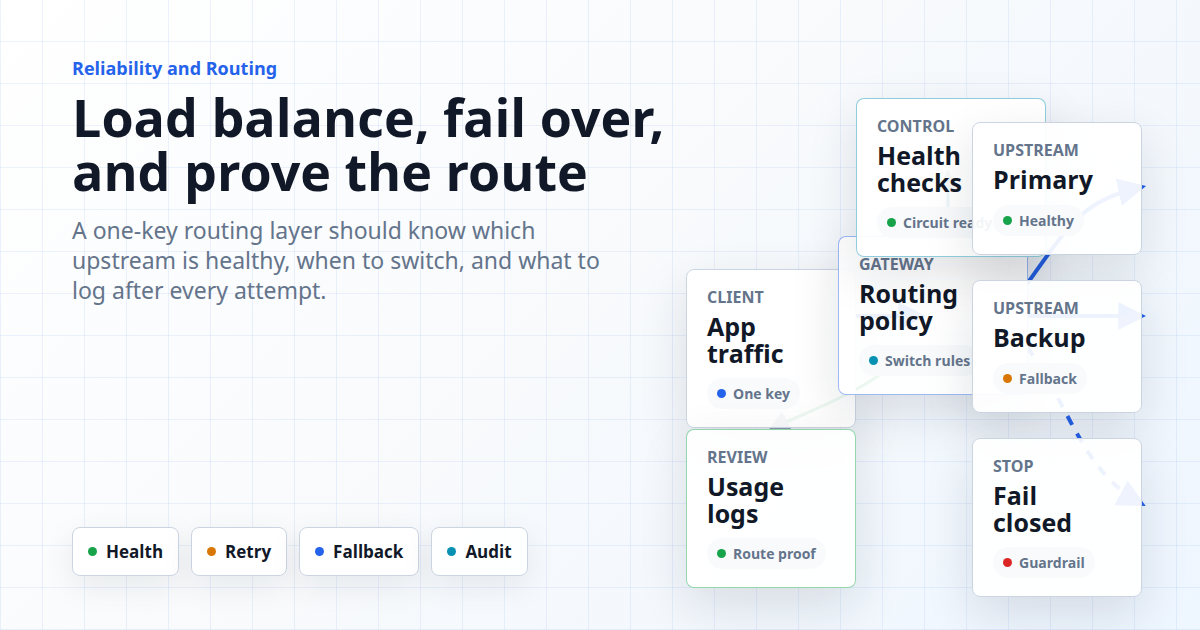
AI API load balancing is the reliability layer between your application and the model providers that serve production traffic. It decides where each request goes, what happens when an upstream account is slow or unavailable, when to retry, when to switch, and how engineers prove the decision after an incident.
For teams using multiple model providers, the hard part is not just "send traffic somewhere else." The hard part is setting a policy that protects user experience, cost, quotas, data handling, and debugging. A one-key gateway can simplify the integration, but the routing rules still need to be explicit enough that platform engineers can test them before production traffic depends on them.
Flatkey's public product copy supports this reliability angle in careful terms: it references one API key, an OpenAI-compatible base URL at https://router.flatkey.ai/v1, one dashboard for keys, usage, and routing, and multiple upstream accounts with automatic switching and load balancing. This guide turns that product language into a practical reliability playbook without making uptime, latency, or incident-response claims that have not been verified.
AI API Load Balancing Starts With Failure Modes
Start by listing the failures you expect. AI API load balancing is useful only when the gateway has a policy for the failure in front of it. A provider outage, a model-specific 500, a rate limit, a depleted balance, a long tail latency spike, a malformed prompt, and a content-policy rejection should not all trigger the same fallback path.
| Failure Mode | Common Symptom | Routing Decision To Define | What To Log |
|---|---|---|---|
| Provider or upstream unavailable | 5xx errors, connection failures, failed health checks. | Switch to another upstream account or provider that can serve the same workflow. | Upstream, error code, attempt count, fallback target. |
| Rate limit or quota limit | 429, balance warning, quota block. | Use another approved account, queue work, reduce traffic, or fail closed. | Limit type, team/key, model, retry-after, cost owner. |
| Slow response | Timeout, high time to first token, stalled stream. | Retry once, switch provider, or return a controlled error based on user workflow. | Latency, timeout threshold, route selected, user impact. |
| Model-specific degradation | One model fails while others remain healthy. | Fallback to a compatible backup model only if quality and policy allow it. | Primary model, backup model, reason, response metadata. |
| Application or prompt error | 4xx validation error, bad request body, unsupported parameter. | Do not retry blindly. Fix the client request or return a precise error. | Endpoint, parameter, request ID, client version. |
This table is the first guardrail. It prevents failover from becoming an expensive loop that repeats the same bad request through every provider. It also gives support and finance the data they need when a route change affects cost or behavior.
Separate Traffic Classes Before You Route
Production traffic should not share one undifferentiated routing policy. The same AI API load balancing rule rarely fits chat completion, batch evaluation, image generation, video generation, background summarization, and customer-facing agent responses.
Group traffic into classes before you configure routing:
- Interactive user traffic: prioritize low error rate, controlled latency, and predictable model behavior.
- Background jobs: tolerate queueing, delayed retry, and lower-cost routing when freshness allows it.
- Evaluation traffic: preserve model identity so benchmark data is not polluted by hidden fallback.
- High-value workflows: use stricter provider allowlists, stronger observability, and manual rollback gates.
- Experimental workflows: isolate quotas and keys so tests cannot consume production budget.
Once traffic classes are clear, the gateway policy can be simple and auditable: which models are allowed, which upstream accounts are in the pool, which failures trigger a switch, and who approves changes to that policy.
Build The Routing Policy Behind One Key
A one-key architecture reduces SDK and credential sprawl, but the policy behind the key still needs structure. A practical AI API load balancing plan has four layers: request classification, provider or account selection, failover rules, and post-request logging.
| Policy Layer | Question To Answer | Example Rule |
|---|---|---|
| Request classification | What workflow is this request serving? | Customer chat, nightly batch, model evaluation, internal automation. |
| Allowed upstreams | Which accounts, providers, or models can serve this class? | Only approved text models for customer chat; broader pool for internal drafts. |
| Load distribution | How is healthy traffic divided? | Weighted account pool, provider preference, cost-aware route, or latency-aware route. |
| Failover trigger | When does the gateway stop using the current path? | Connection failure, repeated 5xx, timeout, rate limit, or health-check failure. |
| Fallback target | Where should the request go next? | Same model on another upstream, approved backup model, queue, or controlled error. |
| Observability | How will the team prove what happened? | Request ID, selected route, attempt history, model, status code, cost, tokens, latency. |
Vercel's AI Gateway docs are a useful public benchmark for this level of explicitness. Their provider options docs describe routing across providers, ordering, sorting, timeouts, and fallback behavior; their model fallback docs describe trying backup models in order when a primary model fails or is unavailable. The point for Flatkey buyers is not to copy Vercel's API. The point is to expect routing behavior to be documented, testable, and visible.
Define The Failover Ladder
AI API failover should be a ladder, not a panic button. Each rung should answer two questions: does this retry have a real chance of success, and will it preserve the workflow contract?
- Same upstream retry: retry once for transient network failures or clearly retryable 5xx responses.
- Same provider, different upstream account: switch accounts when the model is healthy but one account is limited, unavailable, or over quota.
- Same model, different provider path: use only if the gateway and model ecosystem support equivalent delivery through multiple providers.
- Approved backup model: use when output quality, tool support, context limits, and policy behavior are acceptable for the workflow.
- Queue or degrade: delay background work, return a smaller response, or move to a lower-cost path when user expectations allow it.
- Fail closed: stop retrying when the failure is a bad request, unsafe content decision, auth error, or unsupported parameter.
This ladder keeps AI API load balancing from hiding a real problem. If an upstream rejects a malformed request, sending the same request to five more providers creates noise, cost, and confusing logs. If an upstream has a temporary 500, one carefully logged switch can protect the user experience.
Use Health Checks And Circuit Breakers
Load balancing is most useful when the gateway knows which upstreams are healthy before a user request arrives. Health checks and circuit breakers are the control plane for AI API load balancing.
A practical health model should track recent failures, rate-limit responses, timeout behavior, and provider-specific errors. A circuit breaker should temporarily remove a bad route from the pool, then allow a small number of probes before full traffic returns. Without that step, the gateway may keep sending users into a failing path just because the route still exists in configuration.
For AI traffic, health checks should be workflow-aware. A text model route can be healthy while a video endpoint is limited. A streaming path can fail while non-streaming responses still work. A provider can serve one model reliably while another model is degraded. Treat health as a route-level signal, not a single account-wide checkbox.
Protect Quotas, Cost, And Model Semantics
Reliability and cost are connected. A fallback can save a request, but it can also shift traffic to a more expensive model, consume another team's quota, or change the quality profile of the output. Strong AI API load balancing plans include finance and product constraints, not just engineering retries.
Before enabling automatic fallback, decide:
- Whether a fallback model is allowed to be more expensive than the primary model.
- Whether a customer-facing workflow can switch model families without review.
- Whether batch jobs should pause instead of spending through a premium backup.
- Which team owns cost when traffic shifts across accounts or providers.
- Which usage dashboard fields finance can use to reconcile the incident.
Flatkey's public pricing API snapshot on June 11, 2026 returned success: true with live model and endpoint-family data, and the public site points readers to pricing, unified billing, and usage visibility. Treat those as dated source facts. For production reliability work, the important operational step is to confirm the live pricing page, quotas, and dashboard records for the specific models your workflow will use.
Make Routing Decisions Observable
If engineers cannot inspect the route, retry, and fallback path after a failure, the gateway becomes a black box. Observability is where AI API load balancing becomes operationally trustworthy.
At minimum, each request should leave enough information to answer these questions:
- Which application, key, team, and environment sent the request?
- Which model and endpoint did the client ask for?
- Which upstream account or provider served the request?
- Was the request retried, switched, queued, rejected, or returned directly?
- Which status code, error message, token count, cost, and latency were recorded?
- Was the final response served by the primary route or a fallback route?
- Can support correlate the user-facing incident to a request ID?
Flatkey public copy references one dashboard for keys, usage, and routing, plus requests, tokens, cost, and errors from one dashboard. Use that as the starting point for your acceptance test: send a controlled request, trigger a known failure where possible, and verify that the dashboard shows enough context for the incident review.
Run A Failover Drill Before Production
Do not wait for a provider incident to learn how your routing policy behaves. A pre-production drill is the fastest way to find missing logs, unsafe retries, and quota surprises.
- Pick one workflow: choose a staging endpoint that represents real production traffic.
- Define the expected path: primary upstream, backup route, retry count, timeout, and stop conditions.
- Create a non-production key: isolate the test from production quotas and billing alerts.
- Simulate failure: use a disabled upstream, a restricted route, a low quota, or an invalid temporary provider credential where the gateway supports it.
- Observe the result: check status code, response body, route decision, latency, usage record, and cost record.
- Verify rollback: restore the primary route and confirm traffic returns without stale circuit-breaker state.
- Write the runbook: document who changes routing rules, who approves fallback cost, and who communicates incidents.
This drill is also how platform teams decide whether a one-key gateway is ready for production. Good AI API load balancing should reduce operational complexity, not move it into an invisible control plane.
How Flatkey Fits The Reliability Playbook
Flatkey is positioned for teams that want one API key, one OpenAI-compatible base URL, clear pricing, unified billing, and one dashboard for access, usage, and routing. The relevant public proof point for this article is the reliability copy: Flatkey says it can route multiple upstream accounts with automatic switching and load balancing to avoid frequent errors.
That makes Flatkey a fit for teams evaluating AI API load balancing behind a single integration point. The responsible evaluation path is still concrete: create a test key in the dashboard, point a staging client at https://router.flatkey.ai/v1, run a controlled route test, review the usage and error records, then decide which workflows can use automatic switching and which should fail closed.
If you are already changing SDK configuration, use the OpenAI-compatible API migration guide for the base URL work. If cost and model units are part of the rollout, use the AI model pricing comparison guide before you approve fallback paths that can change spend.
FAQ
What is AI API load balancing?
AI API load balancing is the process of distributing AI model requests across approved upstream accounts, providers, or model routes so traffic can keep flowing when one path is slow, limited, unavailable, or too expensive for a specific workflow.
How is AI API failover different from normal retry logic?
Retry logic usually repeats a request on the same path. AI API failover changes the path after a defined trigger, such as an upstream failure, timeout, rate limit, or model outage. Good failover still needs stop conditions so bad requests are not repeated through every provider.
Should every AI request have automatic model fallback?
No. Model fallback is useful when backup models are approved for the same workflow, but it can change quality, tool behavior, context limits, cost, and compliance posture. Evaluation traffic and regulated workflows often need stricter routing than background jobs.
What should engineers log for multi-provider routing?
Log the request ID, app, key, environment, requested model, selected upstream, retry count, fallback reason, status code, latency, billable usage, cost, and whether the final response came from the primary route or a fallback route.
Where does Flatkey help with AI API load balancing?
Flatkey gives teams one key and an OpenAI-compatible router endpoint, and its public copy references automatic switching, load balancing, and a dashboard for keys, usage, and routing. Teams should still validate the exact route behavior, logs, quotas, and rollback path in their own staging workflow.
Final Checklist Before You Turn It On
Before relying on AI API load balancing in production, confirm the failure modes, traffic classes, allowed upstreams, fallback ladder, health checks, quota impact, observability fields, and rollback procedure. Then run the drill with a non-production key and save the evidence.
Flatkey can reduce the integration surface to one key and one compatible base URL. To test that reliability layer with your own traffic, get a key, route a staging workload through the dashboard, and verify the switching, usage, error, and cost records your team needs before production rollout.